AWT and Swing
The AWT artifact adds four FrameWindowScope functions:
DefaultMacMenuBarsupplies a conventional macOS menu and does nothing off macOS.AdvancedMacMenuBarsupplies a custom native menu and never falls back to Swing.SwingMenuBarexplicitly installs aJMenuBar.CompatibilityMenuBarselects native AppKit on macOS and Swing on Windows/Linux.
Window(onCloseRequest = ::exitApplication, title = "Notes") {
    CompatibilityMenuBar {
        FileMenu {
            FileNew { newDocument() }
            FileOpen { openDocument() }
            FileSave(enabled = canSave) { saveDocument() }
        }
        CustomMenu("View") {
            Checkbox("Sidebar", sidebarVisible) { sidebarVisible = it }
        }
    }
}
Swing behavior
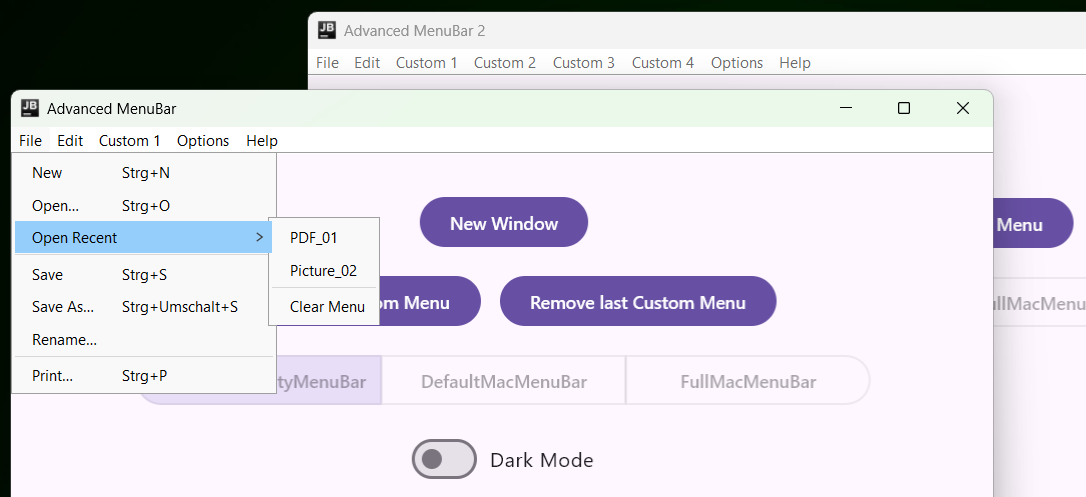
Swing renders standard titles, actions, submenus, sections, separators, checkmarks, PNG/file icons, tooltips, and shortcuts. It deliberately omits the macOS application menu, Services, SF Symbols, subtitles, and badges. Standard actions require callbacks because Swing has no AppKit responder chain; an entry without one is disabled instead of appearing to work.
Standard accelerators follow desktop conventions: the platform menu modifier (Ctrl on Windows and
Linux), Ctrl+Y for Redo, Ctrl+H for Replace, F3/Shift+F3 for Find Next/Previous, F11 for fullscreen,
and F1 for Help. A custom MenuShortcut is used exactly as declared.