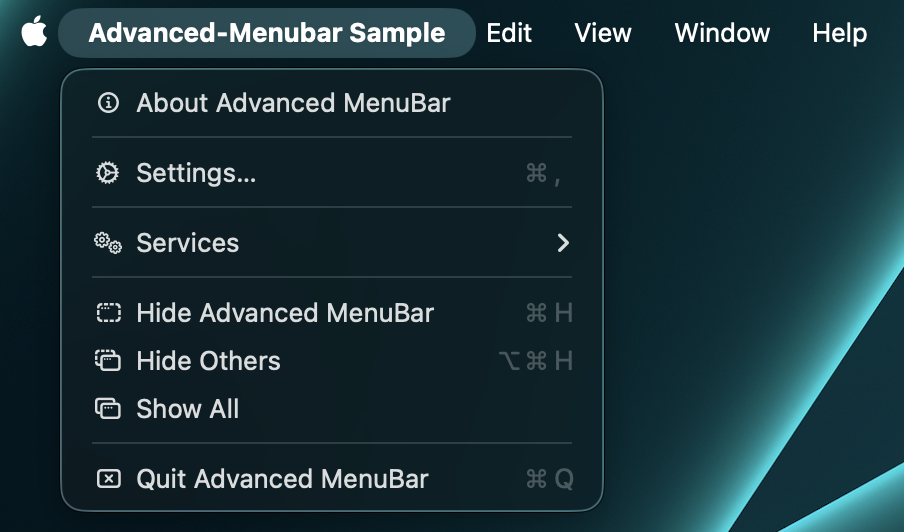
Default macOS menu
DefaultMacMenuBar is the shortest route to a useful Mac application menu. It includes:
- application menu: About, optional Settings, Services, Hide, Hide Others, Show All, Quit;
- Edit: Undo, Redo, Cut, Copy, Paste, Delete, Select All;
- View: state-aware Enter/Exit Full Screen;
- Window: Minimize, Zoom, Bring All to Front;
- optional Help callback.
DefaultMacMenuBar(
    appName = "Notes",
    onAboutClick = { aboutVisible = true },
    onSettingsClick = { settingsVisible = true },
    onHelpClick = ::openHelp,
    editMenu = true,
    viewMenu = true,
    windowMenu = true,
    helpMenu = true,
)
When onAboutClick is absent, AppKit opens its standard About panel. Settings is included only when
a callback exists. macOS may extend Edit with system-provided Writing Tools, AutoFill, Dictation,
and Emoji & Symbols. Availability and presentation are controlled by the running operating system.
When declared inside NativeTextContextMenuProvider, the default Cut, Copy, Paste, Undo, Redo,
Delete, and Select All entries are enabled only while an editable Compose text field owns a text
input session. Without the provider they remain enabled for backward compatibility. This behavior
is identical with the AWT and Tao backends; see Text context menus.
For a different structure, copy the small declaration into AdvancedMacMenuBar and customize it.